Activity log & calendar
See who changed what on every exam, and view all your exam sessions in a calendar.
Activity log
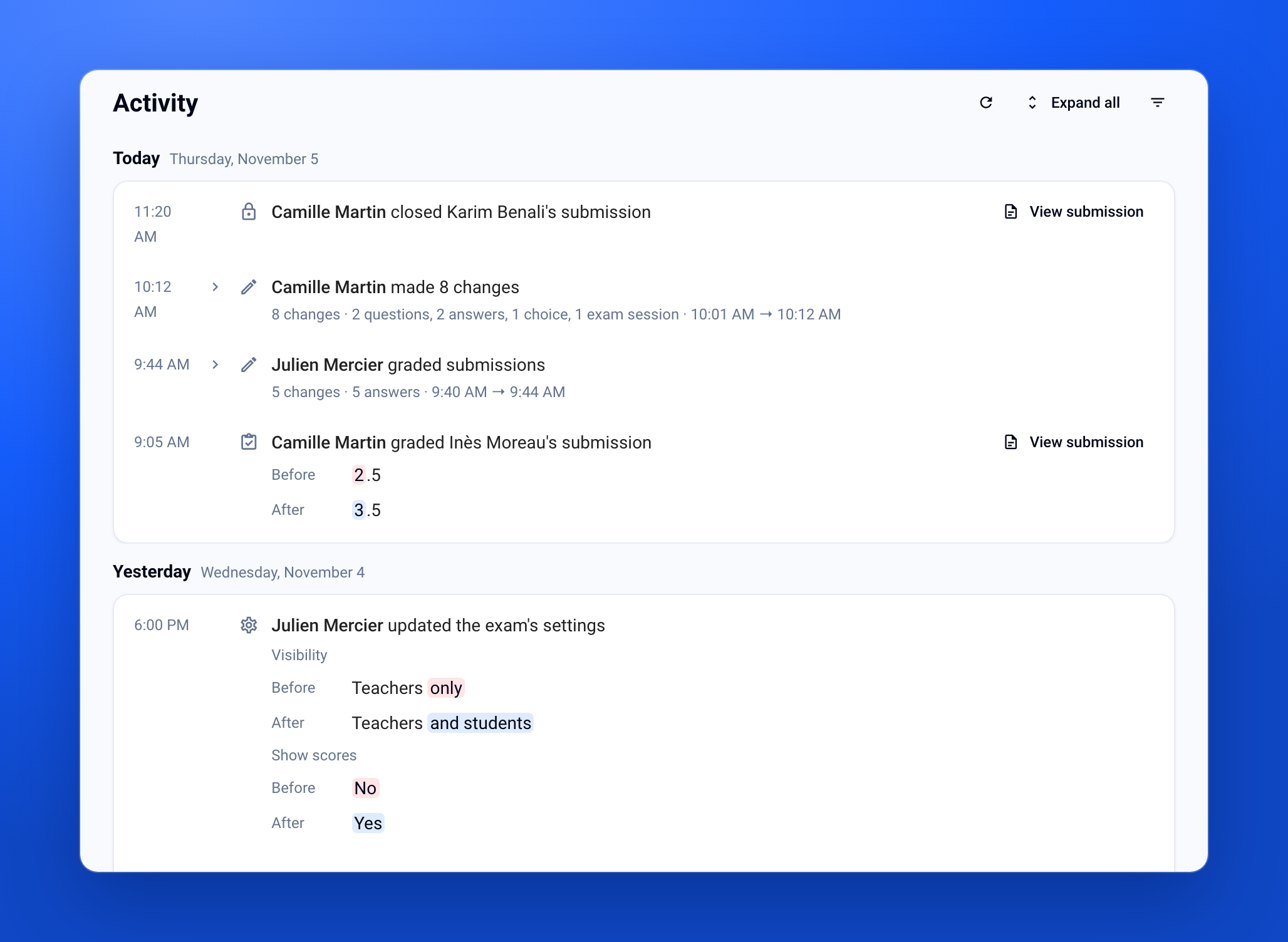
Who edited the exam, graded a submission or rescheduled a session? Each exam keeps its history, filterable by period, author or item type: handy to trace where a change came from and follow a team's work. Open it from the exam menu, with Activity. Available only with the Organization plan.
Sessions calendar
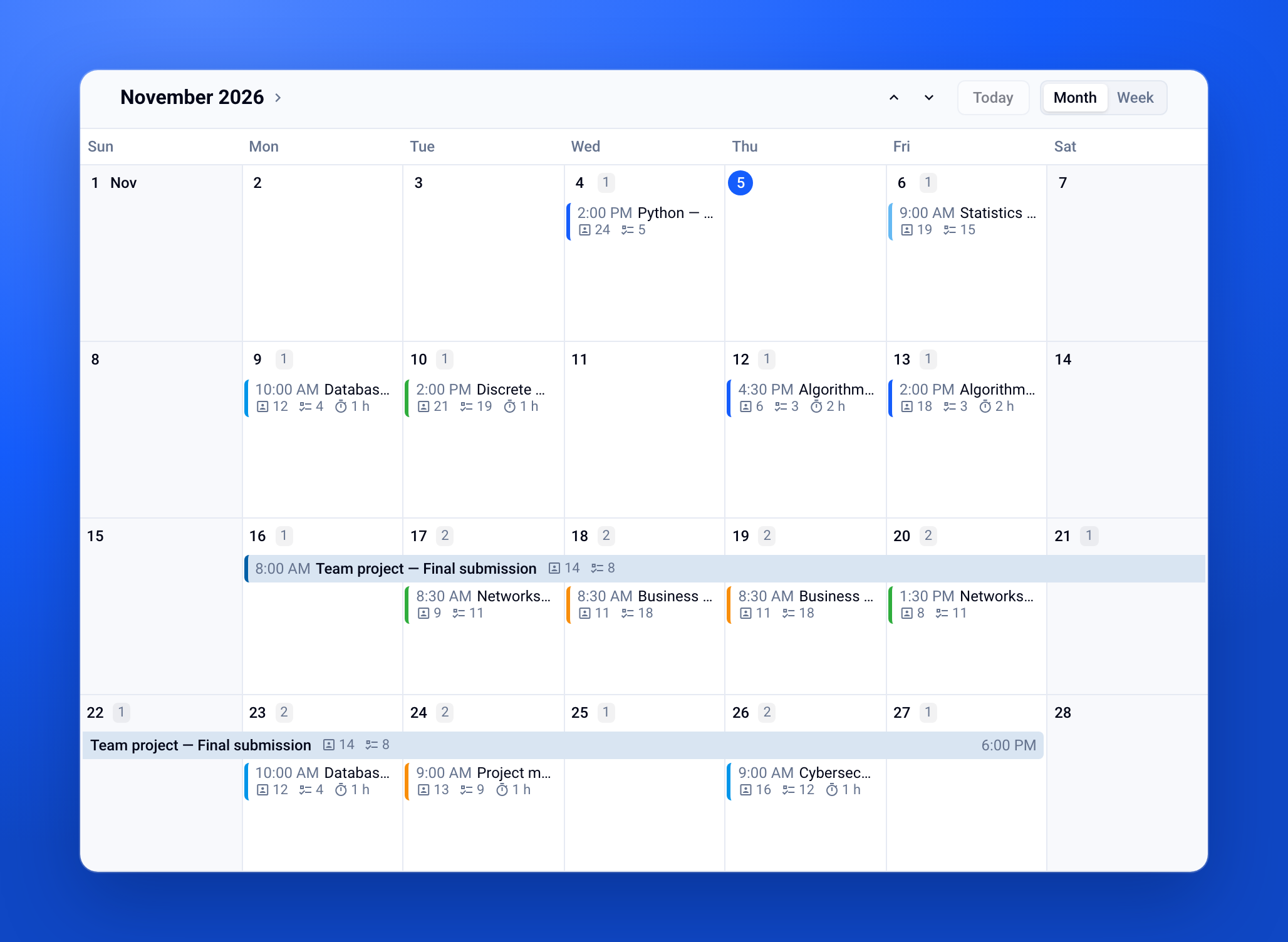
See at a glance when your exams take place. In All exams and in your folders, pick the Calendar view: your exam sessions appear by Month or by Week. Sessions to close manually are grouped so you don't forget them.
✨ Other improvements
Short answer questions:
import from Moodle is now supported
several answers can now be shown in the answer key
Matching questions: Excel import/export is now supported
Excel import: better handling of line breaks
Search bar:
Ctrl+K/⌘+Know opens the search bar from an examInterface: new animation between the home page and an exam's page
🐞 Bug fixes
Exams created more than a year ago can now be duplicated correctly.