May 6th, 2025
New
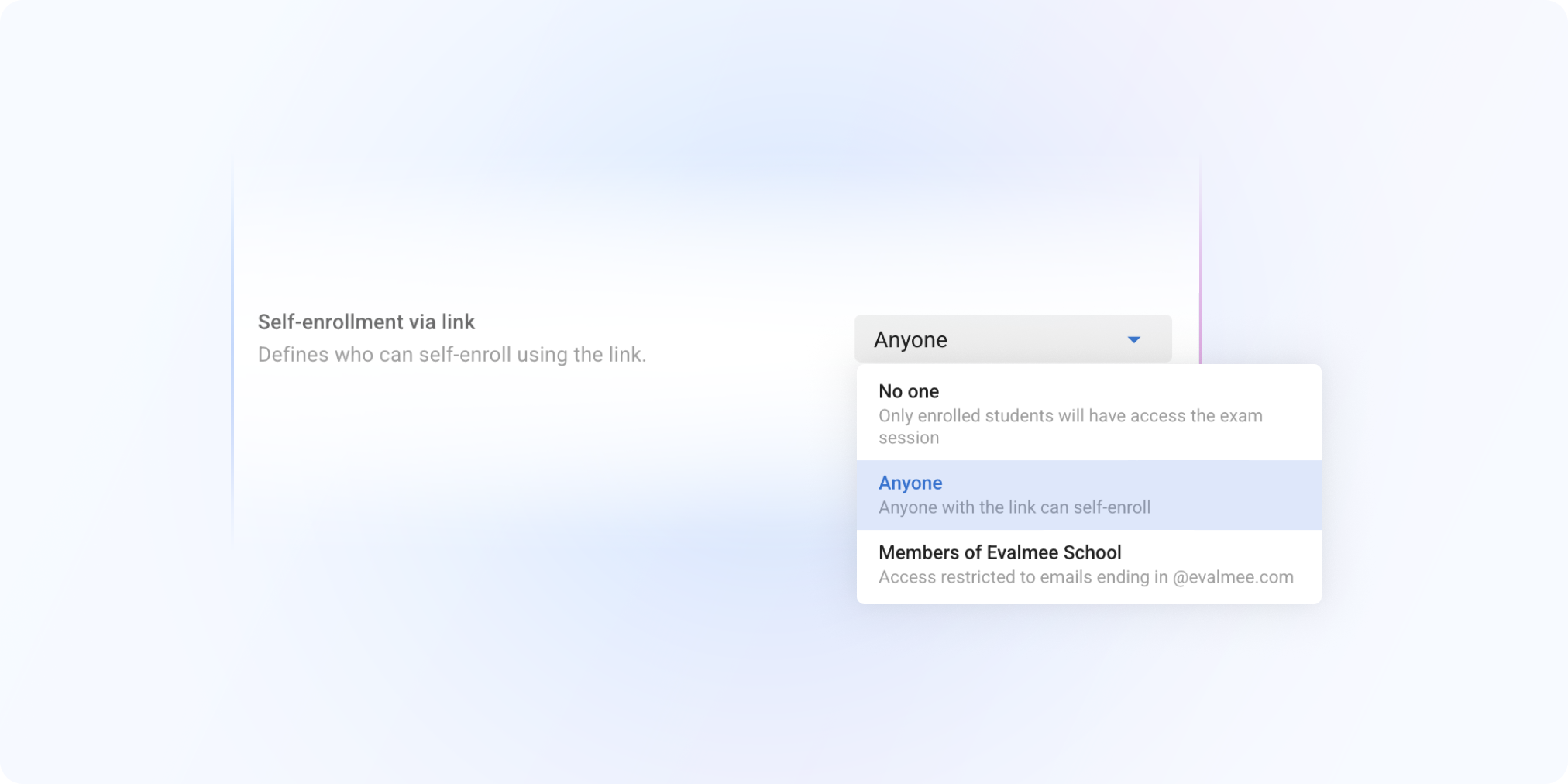
Self-Enrollment Link – Simplify Access to Your Exams
No more collecting email addresses or dealing with Excel files at the last minute. Whether in class, over Zoom, in a training session, or in open practice mode, you can now let participants self-enroll into an exam session in just one click.
One link. One session. That’s it.
You can now activate a self-enrollment link for any of your exam sessions.
Open to everyone or restricted to your organization’s members
Share it via email, on your slides or in the chat of Zoom/Teams
The participant opens the link and starts the exam. Simple as that.
Built for real-life situations
Open-access practice test with candidates not yet identified
Live training webinar with no email list and hundreds of participants
Quick in-class or remote quiz without importing anything on Evalmee
Open-access exam for self-training or screening test available year-round
“I wish it worked like Wooclap/Mentimeter/Kahoot… Just a link on the screen, and done.”
“We wanted a self-paced training quiz, without reopening a session every time.”
“It’s always a hassle to collect email addresses from the Zoom or Teams chat.”
Useful for:
Teachers who want to move fast
Pedagogical teams in training & live demo
Candidates who need access in just two clicks
Learn more : Share self-enrollment link .
Now available on all your exam sessions.
Try it and simplify your enrollments! 🚀
✨ Other Improvements
Spreadsheet Question: added support for Filters
Documents attached to a question/exercise:
New button to download documents from the subject editor (even after the exam is over)
Option to allow text selection in PDF documents
Corrected copies: you can now view comments left by Evalmee support team if the student contacted them during the exam
🐞 Bug Fixes
Fixed a bug that sometimes prevented exams from closing automatically on the student side under specific conditions